Out of nostalgic reasons I recently bought a used 30-inch Cinema Display and connected it successfully to a Mac Studio M1 Max, a MacBook Air M4, an iPad Pro M2, and an iPad Pro M5. The display still looks fine. This post is for those of you wondering how to connect it:
Club 3D Dual Link DVI-D to USB-C converter
This converter works just fine. You have to make sure to get the version with HDCP off (Edit: Later versions of the display might have HDCP support). This means that it will work fine but will not show copyright-protected streams (e.g. Netflix or Amazon Prime Video). The model I used is: CAC-1510-A
How the display looks in 2025
I made a little video of the experience:
How to control the brightness from inside macOS
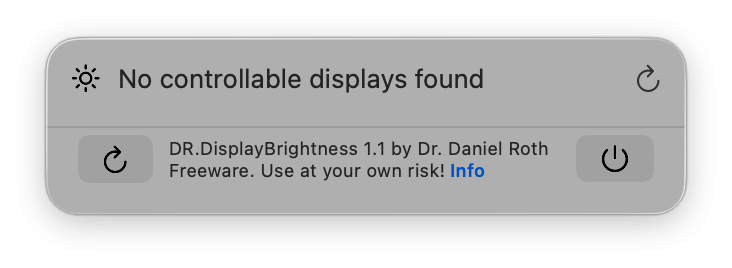
macOS 26 no longer supports the control of the brightness of this old display with a software slider. I therefore made a little utility which lives in the menu bar and uses USB to show and control the brightness:
https://humuku.de/apps/drdisplaybrightness/
The App can be used to control the Apple Cinema Displays connected by USB to the computer.
The app cannot be put into the App Store, because sandboxed apps cannot use USB for control. But as the App is notarized by Apple it can be run without security problems after download.
But in any way: It is just a free little tool that you use completely on your own risk. I asked the A.I. for some hints and then went to work in Xcode with Swift. So do not expect wonders of software engineering. I will try to keep it updated as long as I am using the display.
Club 3D Dual Link DVI-D to USB-C converter
This converter works just fine. You have to make sure to get the version with HDCP off (Edit: Later versions of the display might have HDCP support). This means that it will work fine but will not show copyright-protected streams (e.g. Netflix or Amazon Prime Video). The model I used is: CAC-1510-A
How the display looks in 2025
I made a little video of the experience:
How to control the brightness from inside macOS
macOS 26 no longer supports the control of the brightness of this old display with a software slider. I therefore made a little utility which lives in the menu bar and uses USB to show and control the brightness:
https://humuku.de/apps/drdisplaybrightness/
The App can be used to control the Apple Cinema Displays connected by USB to the computer.
The app cannot be put into the App Store, because sandboxed apps cannot use USB for control. But as the App is notarized by Apple it can be run without security problems after download.
But in any way: It is just a free little tool that you use completely on your own risk. I asked the A.I. for some hints and then went to work in Xcode with Swift. So do not expect wonders of software engineering. I will try to keep it updated as long as I am using the display.
Last edited: