Become a MacRumors Supporter for $50/year with no ads, ability to filter front page stories, and private forums.

Astuces iOS

macrumors 68000
Original poster
Aug 17, 2023
1,888
2,035
Be aware because you could get hacked ! Actually on YouTube there is somebody who promoted a FAKE VERSION of the DynamicLake Pro app !

It's a YouTube ad and it looks like more than 600k of people looked at it ! 💀

1765223060867.png


The official app is not a virus but if you click on the link via YouTube, it will redirect you to a fake temporary website where you can download a DMG !

Then it tells you to drag and drop it not to your app folder but into terminal ! After that it will ask you for your password... And it's there where you get hacked !


So if you see this on YouTube or anywhere else, be aware it might be a scam and never drag and drop to the terminal ! (I almost got hacked, I acted before it was too late)
 
Be aware because you could get hacked ! Actually on YouTube there is somebody who promoted a FAKE VERSION of the DynamicLake Pro app !

It's a YouTube ad and it looks like more than 600k of people looked at it ! 💀

View attachment 2586044

The official app is not a virus but if you click on the link via YouTube, it will redirect you to a fake temporary website where you can download a DMG !

Then it tells you to drag and drop it not to your app folder but into terminal ! After that it will ask you for your password... And it's there where you get hacked !


So if you see this on YouTube or anywhere else, be aware it might be a scam and never drag and drop to the terminal ! (I almost got hacked, I acted before it was too late)
I just saw a YouTube video talking about how ads are doing this all over the place.
 
  • Love
Reactions: Astuces iOS
I just saw a YouTube video talking about how ads are doing this all over the place.
Yes it can be very dangerous, imagine you want to download an app that you know, you click on a fake website, download the app and boom you got hacked... Google should really verify ads !
 
  • Like
Reactions: Alameda
Best practice (which these days is really essential practice) is to only download apps from the App store or directly from the developer's website.

EDIT: And never navigate to a developer's websites via a sponsored link in Google (see @bogdanw 's post immdiately below). Always use the non-sponsored link.
 
Last edited:
So you clicked on a sponsored link on YouTube and proceeded to download a random DMG from the website it redirected you to... and then the opened DMG told you to drag and drop into the Terminal and then you entered your Admin password?

Respectfully, there are a few links in this chain of events that should have activated your alarm bells.
 
and then the opened DMG told you to drag and drop into the Terminal and then you entered your Admin password?
This, in particular, is the big one. The "code execution hurdle" is usually pretty high on macOS, so you should be very wary of running any commands in the Terminal application.

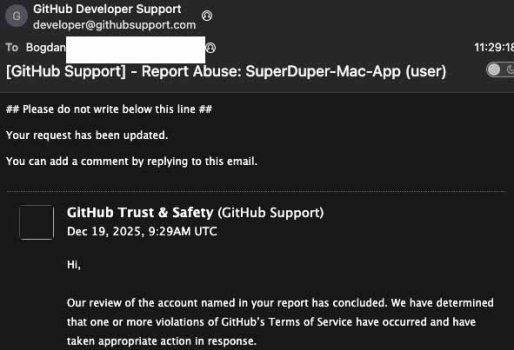
You do see this all over the place though, e.g. you see the same attack pattern on fake repositories on GitHub claiming to offer a download for some application. Paste some random-looking blob of characters into the Terminal and press Return – presto, the attacker is over the code execution hurdle. The command decodes the blob, downloads more code (often AppleScript if it's targeting Mac users) pops up a decent looking password dialog "Just need you to authenticate to finish the install" and next thing you know your Mac has joined a bot army and all of your financial data, browser profiles, notes and keychains have been exfiltrated (I just recently picked one of these apart for fun).
 
  • Like
Reactions: turbineseaplane
This, in particular, is the big one. The "code execution hurdle" is usually pretty high on macOS, so you should be very wary of running any commands in the Terminal application.

You do see this all over the place though, e.g. you see the same attack pattern on fake repositories on GitHub claiming to offer a download for some application. Paste some random-looking blob of characters into the Terminal and press Return – presto, the attacker is over the code execution hurdle. The command decodes the blob, downloads more code (often AppleScript if it's targeting Mac users) pops up a decent looking password dialog "Just need you to authenticate to finish the install" and next thing you know your Mac has joined a bot army and all of your financial data, browser profiles, notes and keychains have been exfiltrated (I just recently picked one of these apart for fun).

For sure .. I just think the level of effort one is going to here to do something does put some onus on them for their actions.

This was by no means some "single click through" and BAM 💥 ... "BIG MAC VIRUS" installed!!

This was such a process that it's on par with blaming your email provider for the phishing scam you took 5 steps to participate in, that just happened to start via your email.
 
  • Like
Reactions: BigMcGuire
Oh, I totally agree with you there. I can cut some slack for someone that got taken by a single-click/no-click attack that took advantage of other vulnerabilities to get over the code-execution hump. If you paste code into Terminal, though, you really kind of have to own what you're doing there :)
 
So you clicked on a sponsored link on YouTube and proceeded to download a random DMG from the website it redirected you to... and then the opened DMG told you to drag and drop into the Terminal and then you entered your Admin password?

Respectfully, there are a few links in this chain of events that should have activated your alarm bells.
😅 yeah tho there is something to clarify, so when you open the dmg there is a terminal icon instead of app… then when you drag it’s too late… there is something who ask for your password and will not get off until you enter it…

At this point do you restart your mac? It’s a risk because you could run the virus (because of launch elements)… So yeah the case is a bit tricky here…

It’s sad for those getting hacked cause everything seams normal (the hackers literally copy content OF THE REAL APP) and then oops wrong drag and drop…
 
I think I've got all the software I'll ever need or want. I don't think I even need to download macOS upgrades anymore. Sequoia should work for the rest of my life. And it's the last version that will use every vowel in its name. ;)
 
I think I've got all the software I'll ever need or want. I don't think I even need to download macOS upgrades anymore. Sequoia should work for the rest of my life. And it's the last version that will use every vowel in its name. ;)
Sadly if you need help with Apple Care at any time, they will mandate you have the newest OS on your Mac. They are forcing everyone who's not on 26 to 26 some point sooner than later.
 
Register on MacRumors! This sidebar will go away, and you'll see fewer ads.