Become a MacRumors Supporter for $50/year with no ads, ability to filter front page stories, and private forums.

pien

macrumors newbie
Original poster
Mar 31, 2010
6
0
Hello...I have been trying to publish my website (made in Iweb) for 2 days I do this for the first time, and have not so much computer knowledge...this is what I do:

1.Publish the website from Iweb to a empty folder on my Desktop.
2.Upload this folder it in Cyberduck (I allready changes the permissions for the files and the folders)
3. after it done succesfully and I try to view my website on the web it gives the error:
Forbidden

You do not have permission to access this document.
Web Server at ...........


Also I tried the same in Filezilla; same result.

Where does it go wrong? can anybody please help me....:confused:
 
If you look at the permission attributes for the files and the folder that contains them, they all must have 'read' and 'execute' permissions.

Open up Terminal, find the folder with your site files and type: ls -la

Make sure that you see something like 'rwxr-xr-x' for the files AND the folder that contains them.
 
Ok. thanks...
I'm gonna give it a try...If I change the permissions...do I then need to upload the website again?
And where do I exacly typ Is -la ??
 
And with open up Terminal, you mean the browser in Cyberduck?

TXS
 
Yes, thanks, I also tought it was the same problem, but in my case I don't see the red-Icons on my files....and I already changed the permission!
 
Yes, thanks, I also tought it was the same problem, but in my case I don't see the red-Icons on my files....and I already changed the permission!

In Cyberduck there's View menu options for showing the Permissions column for files and folders. Turn that on and show us what their permissions are set as so we can see if there may be an issue there.

Also, within your main web directory (httpdoc, domain.com, etc.) is there a index.html file?
 
I'm not sure if you mean this (don't know where to find "View menue option"
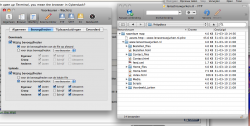
But made a screenshot:

Afbeelding 3.png

It's in Dutch unfortunately, but I think you will recognize it...
(Bestanden means Files)
 
Hey Guys,
I solved the rest of the problem in the meantime myself: I had copied the whole folder instead of the content of the folder...

Anyways, I'm happy

Thanks
 
Hey Guys,
I solved the rest of the problem in the meantime myself: I had copied the whole folder instead of the content of the folder...

Yea, so the index.html was buried an extra folder deep, which is why you were getting the error message.
 
Register on MacRumors! This sidebar will go away, and you'll see fewer ads.