How do I connect an Intel Mac mini to a television?
How to connect your Intel-based Mac mini to a television depends greatly on the type of television you have (and the Mac mini you have as well). Apple provides a helpful document entitled "Using Mac mini with a Television" on the Apple Support Site.
The Apple Support Document notes that the Intel Mac mini can be connected to digital HDTV sets via DVI, HDMI, and VGA/RGB [emphasis added]:
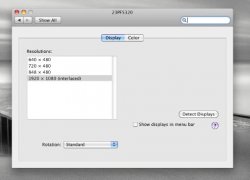
- A standard DVI cable can be attached from the [pre "Early 2009"] Mac mini [models] to an HDTV, supporting resolutions up to 1920x1080. [The "Early 2009" models can be connected to a DVI equipped television via DVI by using a Mini-DVI to DVI adapter].
- HDTVs with HDMI inputs can be connected to [a pre "Early 2009"] Mac mini with a DVI to HDMI adapter. A DVI to HDMI adapter will relay video but not audio from the computer. [The "Early 2009" models can be connected to an HDMI equipped television by using a Mini DisplayPort to HDMI adapter]. . . [To connect audio], the Belkin PureAV HDMI to DVI cable can be ordered from the Apple Store [and numerous other resellers].
- The DVI to VGA adapter that was included with your [pre "Early 2009] Mac mini can be used along with a VGA cable to connect [the Mac] to an HDTV with an analog PC-input (VGA/RGB), supporting resolutions 1920x1080. [The "Early 2009" models can be connected to a VGA equipped television by using a Mini-DVI to VGA adapter].
The same document provides instructions on how to connect pre "Early 2009" Intel Mac mini models to an analog television with the Apple DVI-to-Video Adapter via Composite or S-Video:
- Composite is the most widely available video input on traditional analog televisions. It delivers acceptable quality at resolutions up to 800x600 on most televisions.
- S-Video separates the analog video signal into separate channels, providing better quality than Composite. S-Video is best used with a resolution of 800x600.
and still not all televisions are suitable for connecting a computer
best indication for computer support is a vga port , that does not mean you need to connect to vga most good tv's offer more options like dvi, hdmi ...
but if there is a vga port then its certainly suitable for connecting a computer