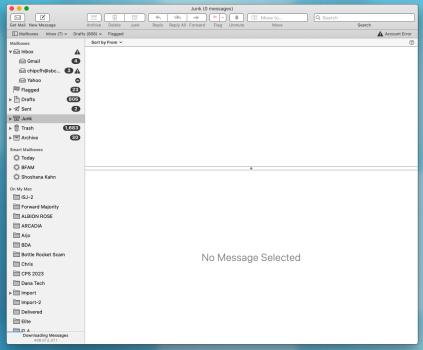
I don't see why "on my mac" is obsolete.
I prefer to keep locally-stored archived messages. I don't have a huge number of them, however.
OP:
What's in the "trash" folder/icon I see in the above pics?
Have you verified that what's there IS indeed "trashed" mail?
Aside:
I have a friend who for too long has considered putting email into the trash (and never emptying the trash) his "archives".
Somehow I see this as causing problems over the long term.
Having said all that:
What you could try doing is connecting your cloned CCC backup.
Then... open Mail.app and use the "File->Import" menu command to import the old messages from the folder in your account. It's at
home/Library/Mail
I try selecting the "Mail" folder and seeing if the import feature will work from there.
If it doesn't, you need to go "further into" the Mail folder.
I -think- the folder you need to select is "V10" (or "Vxxx").
The mailboxes are in the "long-numbered" folders within.
They will come into your NEW Mail.app as "imported mail".
Then you need to go into that folder and move things where you want them to be.
It's a little work, but one has to do what one has to do.
Good luck.