Become a MacRumors Supporter for $50/year with no ads, ability to filter front page stories, and private forums.

Peter Franks

macrumors 68020
Original poster
Jun 9, 2011
2,193
140
So, I am eking out another few months of the MBP, and I bit the bullet and put Monterey 12.7.4 on via OpenCore LP as I was under the impression it was the most stable. Tell that to the constantly running fans when I'm doing nothing.

The lure of the dark mode was too much....
And if you can recommend replacements for my Photoshop and MS Word that don't work as they're 32 bit, that would be nice too.

Couple of things….

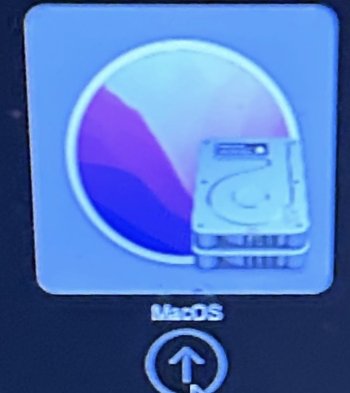
A stand out on my first day using Monterey, it takes far longer to start up than I’ve seen it do on the YouTube OCLP instruction videos on the same laptop. Is this because my hard drive icon now shows up briefly before the Apple logo on start up, since install, and I’ve installed it wrong? I’ve not seen any new OS since High Sierra, so maybe seeing your hard drive icon pre loading, on start up, is normal these days? I expected a bit longer than Sierra, but not this long. SSD and 16GB RAM. Thanks for any help


Should I be seeing this disk on every start up?
and
Should I do software updates, Monterey and Safari come up?
IMG_5558.jpeg
 
Last edited:
Shutdown. Hold Option key down while rebooting. This will be Apple boot-picker. Choose your OCLP Monterey disk. This should then proceed to OCLP boot-picker where you will select your OCLP Monterey disk again. OCLP Monterey will boot. Login. Do you still have performance issues? If so, you may not have applied root patches successfully. Or you may have selected the wrong hardware Mac model in OCLP when building your USB install media. Or your SSD is failing.

I’d start by reapplying root patches after login.
 
Shutdown. Hold Option key down while rebooting. This will be Apple boot-picker. Choose your OCLP Monterey disk. This should then proceed to OCLP boot-picker where you will select your OCLP Monterey disk again. OCLP Monterey will boot. Login. Do you still have performance issues? If so, you may not have applied root patches successfully. Or you may have selected the wrong hardware Mac model in OCLP when building your USB install media. Or your SSD is failing.

I’d start by reapplying root patches after login.
Thanks for that, much appreciated, I reapplied patches despite it telling me I already had them, but I unticked boot picker on OCLP settings and now it starts up with white screen, and goes to black screen with Apple boot up logo, It's still quite long and performance is sluggish, but to be expected I suppose for it's age, despite the SSD and 16RAM. The fans are the worst part. but they were never that great on High Sierra.

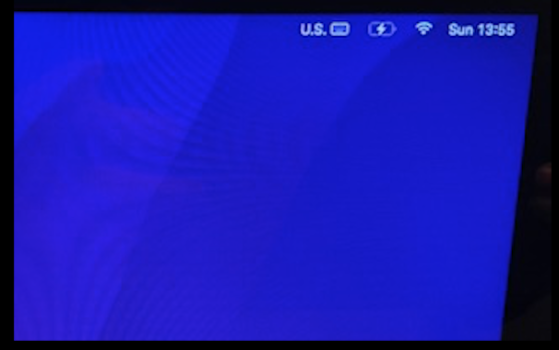
Any idea why this now shows 'US' up top? I've checked the time, keyboards etc, and its all set to UK and British.
I am pretty sure it wasn't there before I reinstalled the patches. Thanks again.
Screenshot 2026-01-18 at 13.59.27.png
 
I believe the keyboard icon with the US on top is something that's been on MacOS ever since Monterey. I have the same thing on all my macs, but only on the startup screen. Once I log in I get my preferred (Swedish) keyboard. When I have booted into recovery, though, I seem to remember that the keyboard is automatically set to US and that I have had to manually set it to Swedish to be able to find stuff like / and - again.
 
  • Like
Reactions: Peter Franks
I believe the keyboard icon with the US on top is something that's been on MacOS ever since Monterey. I have the same thing on all my macs, but only on the startup screen. Once I log in I get my preferred (Swedish) keyboard. When I have booted into recovery, though, I seem to remember that the keyboard is automatically set to US and that I have had to manually set it to Swedish to be able to find stuff like / and - again.
Thanks. Before I changed the boot up, and had the hard drive icon, it wasn’t there, strangely.

Do you know if the updates are safe when you’re on an OCLP?
My OCLP Monterey is 12.7.4, but there is an 11GB update to 12.7.6, as well as a newer Safari in updates.
Wondering if it’ll break it, and if patching afterwards will still work.
 
I just updated my OCLP 2014 Mini from Ventura to Sonoma, through the ordinary "Install MacOS Sonoma" app. All I had to do aftewards was install the root patches again to get stuff such as wifi and proper graphics resolutions working again. I also updated to Safari 26.2 through Updates in System Preferences with no problem. Of course, I can't guarantee that your process will be as painless…
 
  • Like
Reactions: Peter Franks
I just updated my OCLP 2014 Mini from Ventura to Sonoma, through the ordinary "Install MacOS Sonoma" app. All I had to do aftewards was install the root patches again to get stuff such as wifi and proper graphics resolutions working again. I also updated to Safari 26.2 through Updates in System Preferences with no problem. Of course, I can't guarantee that your process will be as painless…
Yes, my update is also offering Tahoe, but we know what will happen if I click that button on a 2011 MBP.
It’s the Monterey update I may try, but at an 11GB download, I don’t think that will bode well.
 
You decide. OCLP background process should recognize you are using macOS updater. Updated macOS Sonoma on my 2017 MacBook several times w/out issue. Just read and follow the instructions.
Thanks, I did update, only because it automatically installed it, while I was away from it, after it had downloaded, when I just wanted to download it and hold back on the install. It’s OK, but it’s not as smooth and is slower than the previous version, even after patches, and would rather have left it alone, after the event…..
 
Quick question.
I’ve plugged my old SSD that was High Sierra in to try and get some stuff I’d forgotten about, while in Target mode on the Monterey drive. Question being, it flagged up stuff that was missing on machine to make it work, and I wanted to ask, ….. does OCLP have the ability to change hardware as well as software. I get the patches change the graphic stuff, but shouldn’t the old SSD boot as a useable High Sierra as it’s a separate drive with separate software? It booted up OK

Also, battery is even more shocking now than it was on HS. Don’t buy 2 Power, branded as ‘Duracell’ or under their own name. It was not capacity even when new. Anyone rate the I FixIt ones?
 
Last edited:
Register on MacRumors! This sidebar will go away, and you'll see fewer ads.