

Hey everyone!! I hope you are having a wonderful day! Just wanted to share my Mac Pro project. This AI-Focued build is going to replace my old DL380 G10 with two Tesla P100s:
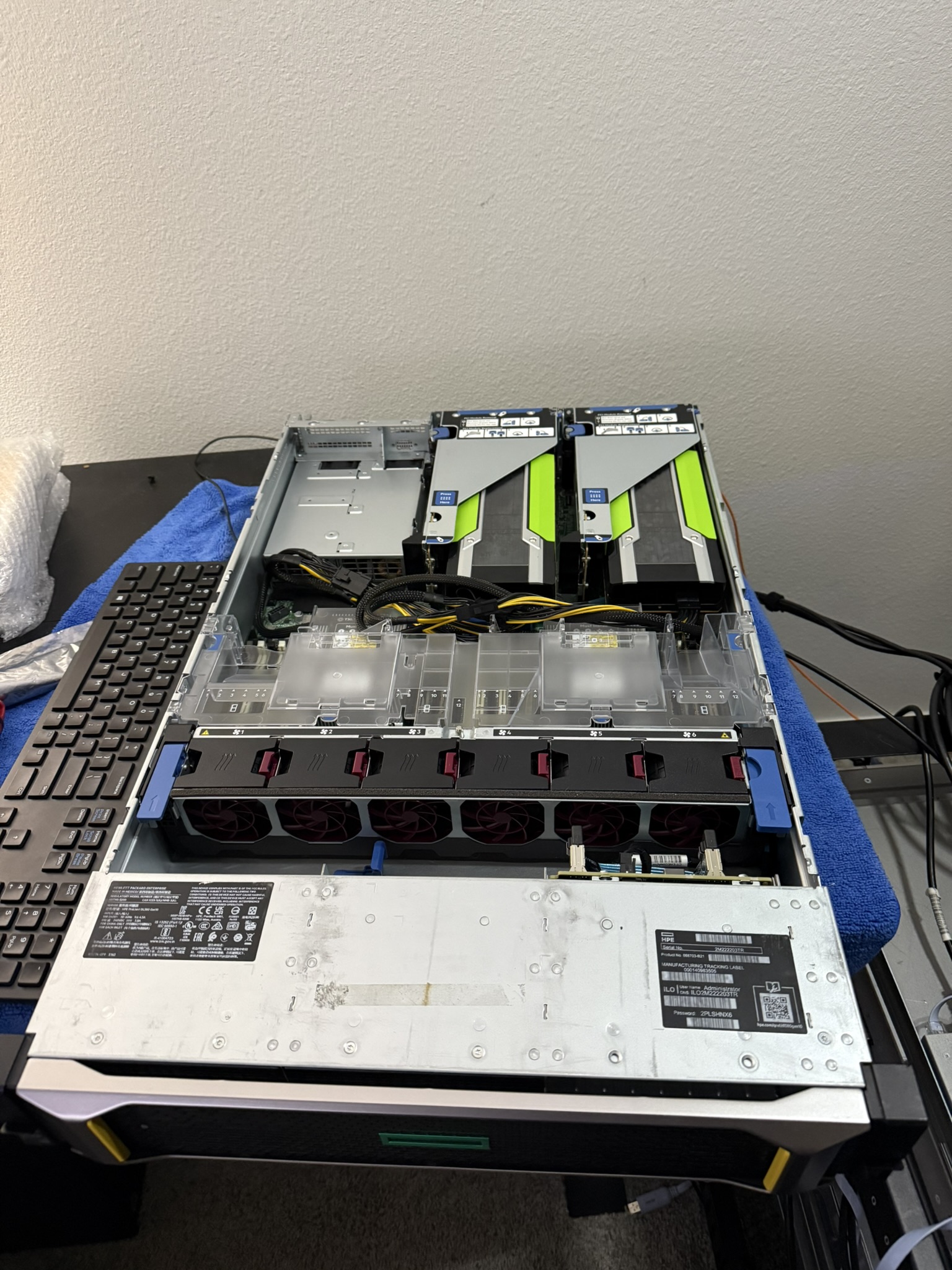
The old G10 ran great for a while, but I needed better GPUs for fine tuning. The setup ran great for inference. For example, was able to run Qwen32b in RAM and had around 30 T/Ps, but was slow as molasses for fine tuning using HuggingFace transformers on PyTorch but I did want a big increase in inference as well.
The first step in this was to find out what platform would be the best for the build, I had settled on Threadripper, more specifically the 3970x with a good amount of Ram, that solution would require a custom build in a rack mount case, and the case I wanted was the McPrue Apollo R but then I realized, most TRX40 motherboards only have a few PCIe slots for full length GPUs. An alternative would be the real deal 7,1 Mac Pro, as I already own one and the performance is great, has plenty of PCIe lanes/slots, and is aesthetically pleasing. However, even though the Mac Pro has 8 PCIe slots, I may be limited to around 3 based on the 1400W PSU, and the spacing of 2.5 slot GPUs. So either way, If I want to run more than 2/3 i'll have to run them in a PCIe enclosure or Thunderbolt eGPU enclosures. With this in mind, I did look into custom cases/SuperMicro systems, but in my professional experience with SuperMicro I haven't had the best experience in terms of reliability, and the fans on certain GPU servers are insanely loud, some even have proprietary fan connectors, making that option a no-go.
So, first item on the list to acquire is the Mac Pro itself, as my OG Mac Pro is my daily driver, full of Radeon 6800s, 40GBe cards, and PCIe NVMe SSDs. I was able to find a good deal a few hours away, for a 16 Core,128GB RAM,8TB SSD, RP580 7,1 for $1500, which is a good deal for the system.
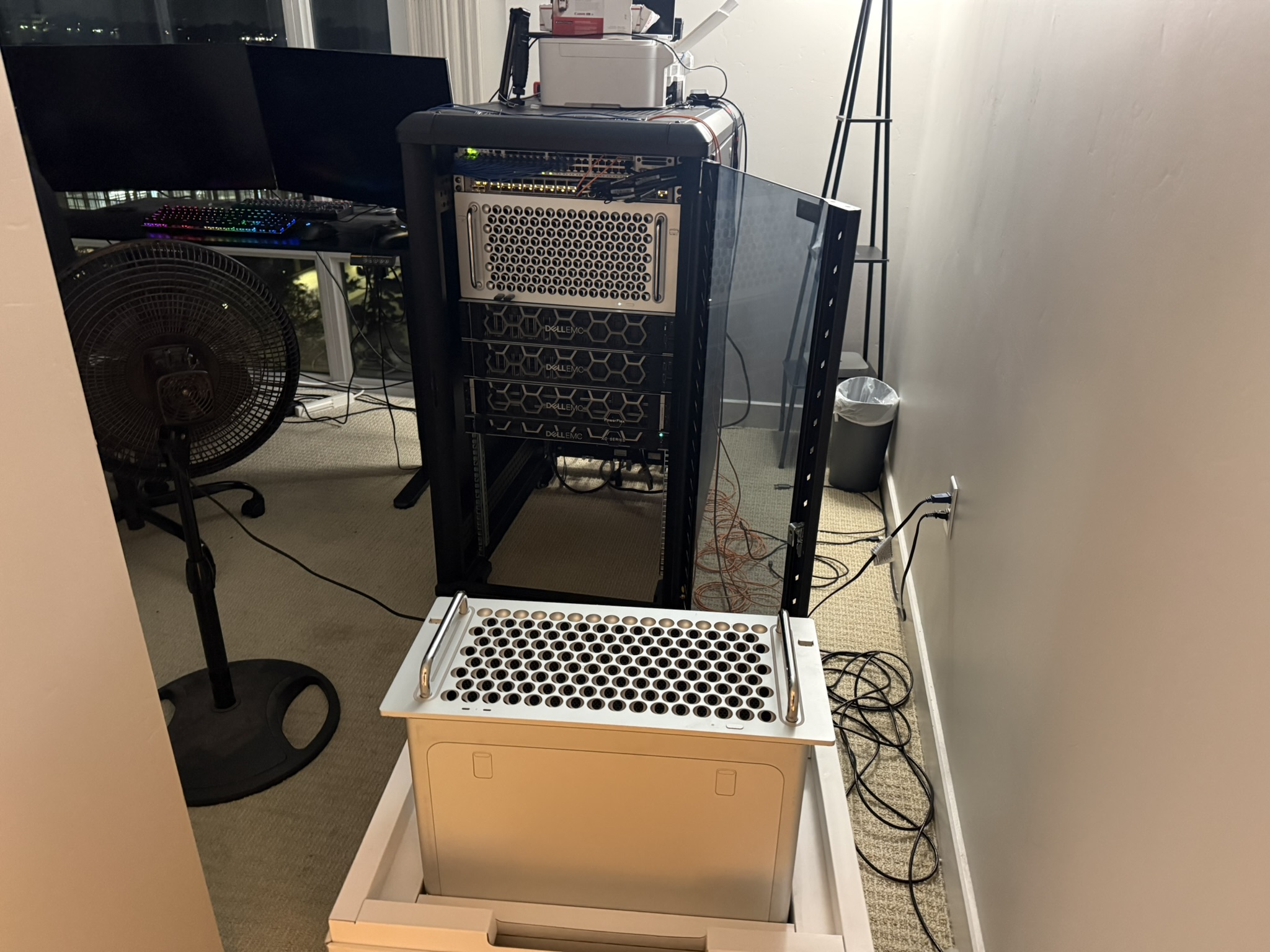
Now that I have the system, now I need GPUs. This was a difficult decision to make, there are so many great option, including MPX modules, but for ease of use and widespread success, I chose the 'cop-out' option, the RTX 3090, and two of them. Was able to source one 3090 FE and one MSI 3090
The FE came with a dual 8 pin to 12 pin, and the MSI uses standard two 8 pins.
Also popped in a Intel XL710 to connect it to the 40GBe network.
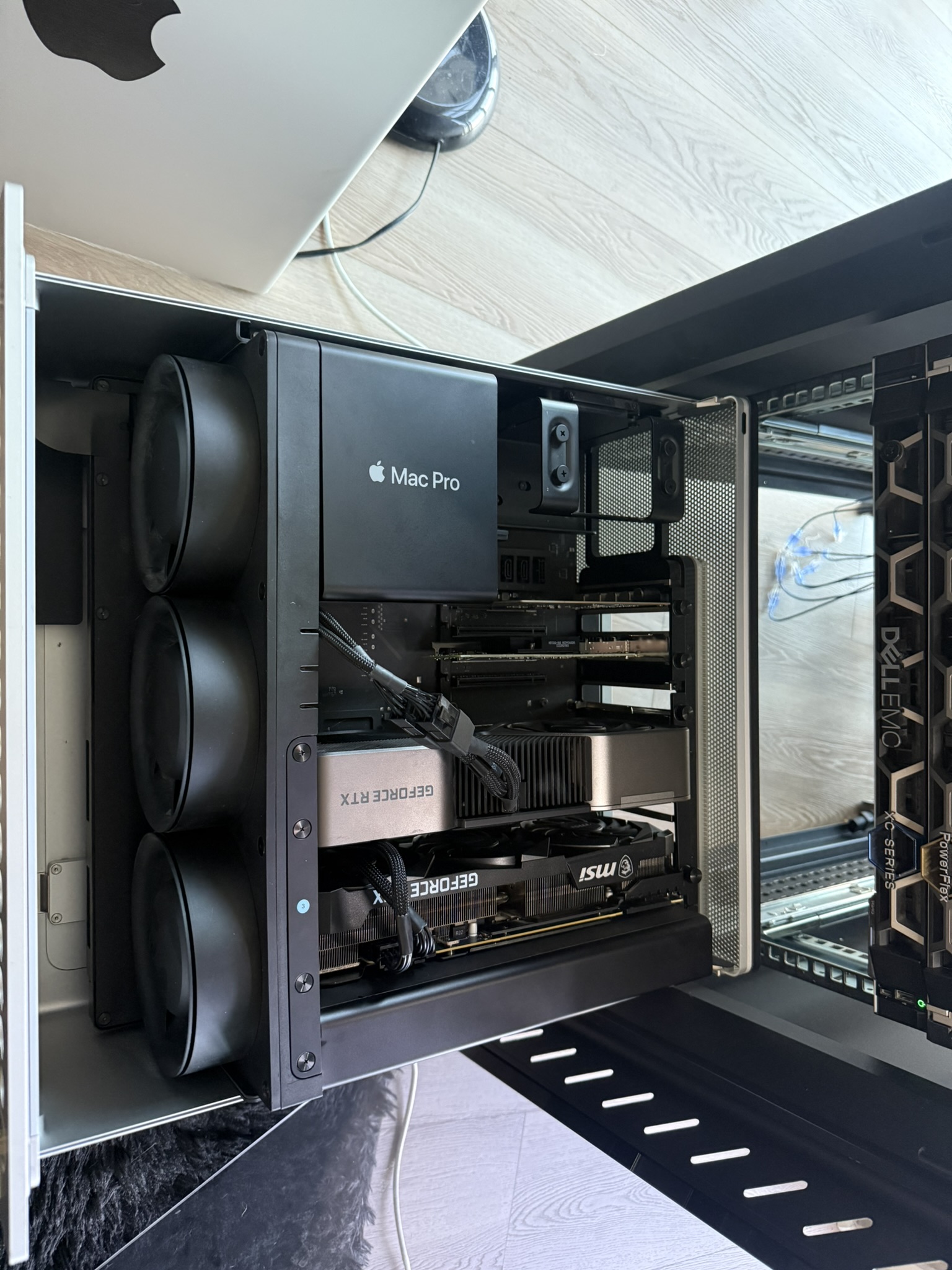
After installing everything, I wiped the internal SSD, disabled SIP and startup protection, and installed RHEL 10, as RHEL/CentOS/Fedora are my preferred flavor of Linux, and installed the Nvidia drivers by adding the repo to yum.repos.d. Accidentally installed the Graphical install instead of basic server. But both are detected no issues:

So far, performance is amazing, training time from 4 days to 12 hours on the same dataset, 100+ T/Ps on 72b LLMs. I'm very impressed, I thought I would have to have three to get where I am now.
So what now?:
I would like to add a 3rd 3090,A 3090 Turbo which is exactly two slots as opposed to 2.5, however I would have to set the power limit on each 3090 to about 225W. Also might look into external PSUs/External PCIe expander enclosures.
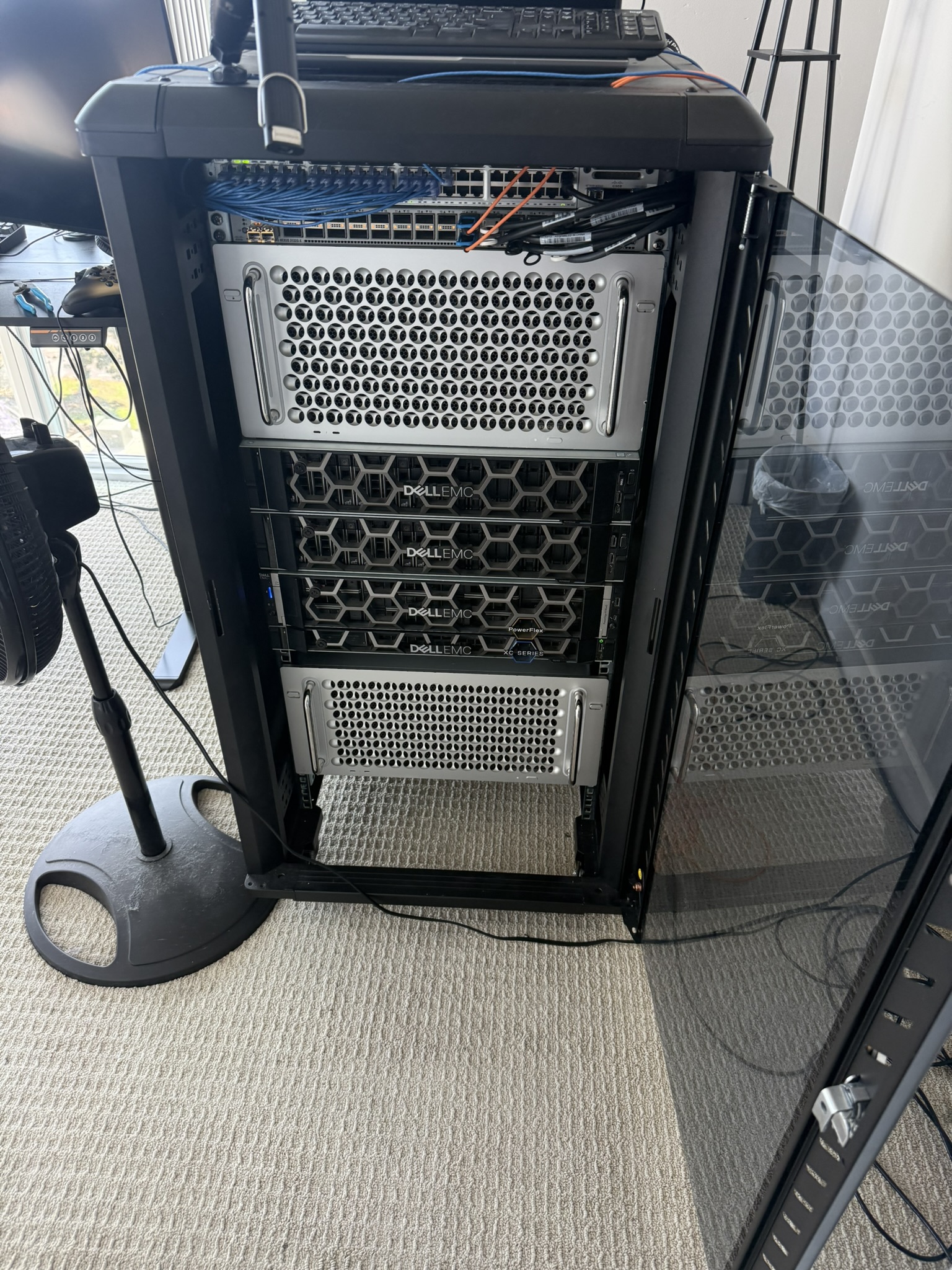
Also an going to re-rack everything so both Mac Pros are at the top, and on the top of one another, the gap is ugly lol. I also need to clean the fan, please disregard the cat hair and dust :/
The old G10 ran great for a while, but I needed better GPUs for fine tuning. The setup ran great for inference. For example, was able to run Qwen32b in RAM and had around 30 T/Ps, but was slow as molasses for fine tuning using HuggingFace transformers on PyTorch but I did want a big increase in inference as well.
The first step in this was to find out what platform would be the best for the build, I had settled on Threadripper, more specifically the 3970x with a good amount of Ram, that solution would require a custom build in a rack mount case, and the case I wanted was the McPrue Apollo R but then I realized, most TRX40 motherboards only have a few PCIe slots for full length GPUs. An alternative would be the real deal 7,1 Mac Pro, as I already own one and the performance is great, has plenty of PCIe lanes/slots, and is aesthetically pleasing. However, even though the Mac Pro has 8 PCIe slots, I may be limited to around 3 based on the 1400W PSU, and the spacing of 2.5 slot GPUs. So either way, If I want to run more than 2/3 i'll have to run them in a PCIe enclosure or Thunderbolt eGPU enclosures. With this in mind, I did look into custom cases/SuperMicro systems, but in my professional experience with SuperMicro I haven't had the best experience in terms of reliability, and the fans on certain GPU servers are insanely loud, some even have proprietary fan connectors, making that option a no-go.
So, first item on the list to acquire is the Mac Pro itself, as my OG Mac Pro is my daily driver, full of Radeon 6800s, 40GBe cards, and PCIe NVMe SSDs. I was able to find a good deal a few hours away, for a 16 Core,128GB RAM,8TB SSD, RP580 7,1 for $1500, which is a good deal for the system.
Now that I have the system, now I need GPUs. This was a difficult decision to make, there are so many great option, including MPX modules, but for ease of use and widespread success, I chose the 'cop-out' option, the RTX 3090, and two of them. Was able to source one 3090 FE and one MSI 3090
The FE came with a dual 8 pin to 12 pin, and the MSI uses standard two 8 pins.
Also popped in a Intel XL710 to connect it to the 40GBe network.
After installing everything, I wiped the internal SSD, disabled SIP and startup protection, and installed RHEL 10, as RHEL/CentOS/Fedora are my preferred flavor of Linux, and installed the Nvidia drivers by adding the repo to yum.repos.d. Accidentally installed the Graphical install instead of basic server. But both are detected no issues:
So far, performance is amazing, training time from 4 days to 12 hours on the same dataset, 100+ T/Ps on 72b LLMs. I'm very impressed, I thought I would have to have three to get where I am now.
So what now?:
I would like to add a 3rd 3090,A 3090 Turbo which is exactly two slots as opposed to 2.5, however I would have to set the power limit on each 3090 to about 225W. Also might look into external PSUs/External PCIe expander enclosures.
Also an going to re-rack everything so both Mac Pros are at the top, and on the top of one another, the gap is ugly lol. I also need to clean the fan, please disregard the cat hair and dust :/


