
They aren't pushing OS updates, they're pushing OS upgrades.Totally agree. Latest OS updates keep our data safe, if people want to risk their data, that’s up to them.


They aren't pushing OS updates, they're pushing OS upgrades.Totally agree. Latest OS updates keep our data safe, if people want to risk their data, that’s up to them.

Laptop here on Sierra running Chrome for a specific application (one website). Zero update notifications.If you think that's annoying, imagine Google Chrome which keeps asking me to update from macOS 10.13.6 to be able to install a new version of Chrome every single time I open their browser.
Both my 2010 Mac mini and my 2011 Macbook Air can't be upgraded past 10.13.6


Many posts from different members here about how buggy and sloppy version 26 is.what did you see about the .2 update that made you want to skip it?

There are many posts on this board complaining about anything and everything.Many posts from different members here about how buggy and sloppy version 26 is.
You can. Replace that icon in the doc with a link to the Prefs app. That’s what I’ve been doing for years.That would be an acceptable answer if there was a way to make that 1 in the red circle go away. As far as I can tell, there isn't. That's annoying. There's nothing reasonable about annoying behavior.

You will end up in a lunatic asylum if you go by the member complains here on everything. Just use your computers and enjoy life, it isn’t end of the world. Some of us endured Tiger and Lion OS X. Tahoe isn’t anything like those early mac osx releases.Many posts from different members here about how buggy and sloppy version 26 is.

You can. Replace that icon in the doc with a link to the Prefs app. That’s what I’ve been doing for years.
Buy a 2018 Mini and I can assure you, you will never receive a notification to update to Tahoe. 🥳That would be an acceptable answer if there was a way to make that 1 in the red circle go away. As far as I can tell, there isn't. That's annoying. There's nothing reasonable about annoying behavior.

Permanently remove the badge with a configuration profile, putting an alias from the Applications folder to the Dock does remove the bothersome badge... but then you have the little annoying arrow. Maybe not so annoying?
Good old little snitch days. For those who know 😬Little Snitch is the way. My Mac has no idea what Tahoe even is, and likely never will. Good riddance.

I recently came across this article, which states the aforementioned Little Snitch tricks, specifically which processes and domains to block.Little Snitch is the way. My Mac has no idea what Tahoe even is, and likely never will. Good riddance.
The article also states:Yes, putting an alias from the Applications folder to the Dock does remove the bothersome badge... but then you have the little annoying arrow. Maybe not so annoying?
I never knew that, helpful to know.After updating, I re-enable the Little Snitch rules. If you put the System Settings app in your Dock, and the Dock icon is badged for an update such as Tahoe, then running the softwareupdate tool again with all connections denied will make the badge disappear again.
I stand corrected. However the upgrades include security updates.They aren't pushing OS updates, they're pushing OS upgrades.
The defer 90 days configuration profile still hides Tahoe https://forums.macrumors.com/threads/defer-tahoe-for-90-days.2465304/Is there any way to stop MacOS from reminding me? I also find it really annoying.
Besides security, I'm not interested in any other updates.
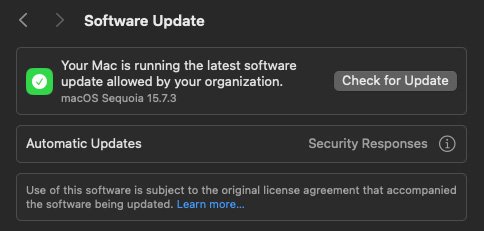

My entire household is still on pre-26 systems — except for a gen9 iPad. iPadOS 26.2 is much better than 26.1.I noticed a notification just now. I was thinking there was an important incremental update with security fixes. Nope, it's just Apple really wanting me to update to 26.2. Apple, I am aware that I'm not running the latest version of MacOS. I don't want it!
View attachment 2595476
View attachment 2595474

have you tried clicking on it? On iPhone you select it and then get the option to do it later. This acknowledges the offer and it goes away.I've had the "3 free months of Apple TV" banner in Settings for 3 weeks now.
as an OCLP user, you get used to it after awhile. its annoying, sure, but so is apple so they are gonna do it.I noticed a notification just now. I was thinking there was an important incremental update with security fixes. Nope, it's just Apple really wanting me to update to 26.2. Apple, I am aware that I'm not running the latest version of MacOS. I don't want it!
View attachment 2595476
View attachment 2595474
The Apple "fanboys" aren't going to agree with youThey aren't pushing OS updates, they're pushing OS upgrades.


