rainman::|:| said:
im genuinely curious, what advantages does USB2 have over FW? specs laid out and all.
This has been posted in pieces in a bunch of different threads, so I'll do my best to consolidate what myself and others have said. Sorry about the length.
Firewire
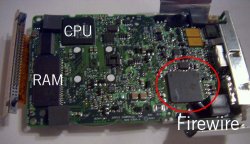
A peer to peer setup employing a protocol with isochronous transfers. What this means is that Firewire guarantees a given amount of bandwidth and sustains that level or shuts off the transfer. This makes it ideally suited for DV, where hard disk recording requires a constant data stream into the software editor. If a DV camera plays back 30 seconds of video, Firewire transfers 30 seconds of video to match. It is able to do this because of a hardware design where the computer and the FW device have matching sets of chips (a controller, a signal clock, and an interface connection). Even the tiniest FW peripheral must have the full set of FW hardware components in order to function.
Firewire can maintain this isochronous transfer until the bus becomes full. Once the entire Firewire bus fills up, additional devices are not recognized, connected but idle devices are "ejected" and a lot of data gets lost in transit. It does not fail gracefully.
FW has a more limited cable length (4m) than USB and is limited to 63 devices. It doesn't always work well in "daisy chain" configurations. It requires a significant investment in hardware, but is particularly useful where a constant data rate is required (audio and video recording). As a burst transfer protocol (sending several smallish files), it is similar to USB. The Firewire transport protocol is very complicated and requires a lot of work to decode, owing largely to being able to maintain isochronous transfers.
Apple and Sony decided to apply high license fees when releasing Firewire to market (they have since dropped to $0.25 per device). FW800 likewise is not backwards compatible with FW400, splitting their market. Firewire hardware was also more expensive independent of licensing because of its peer-to-peer metaphor, and this substantially higher cost meant that it was uncommon to see Firewire in the PC market because of the razor thin margins in that sector.
USB 2.0
USB utilizes a central host controller containing most of the signaling and interpreting hardware. Individual components must only have the interface installed to work; USB relies on the host computer to handle data transfer, and bandwidth can be shared among devices. For the most part, this is a good thing, because extra mouse bandwidth can be used by a printer spooling a large document or by an iPod doing transfers. However, the exchange is limited by the protocol's complex traffic-handling overhead, which cuts into the available bandwidth. Also, it's very difficult to negotiate a high rate of transfer among USB devices (because the general rule for the PC is that no device should monopolize the system resources for too long), which causes speed to change based on available computer resources. CPU usage in particular is about the same or slightly lower than with Firewire, but USB is extremely resource-intensive on the PCI bus and through the system chipset.
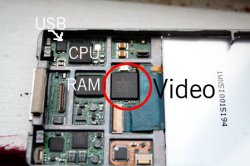
USB peripherals have just a single small chip for communicating with the host computer, making cost and space requirements lower. Unlike Firewire devices, they cannot communicate without a computer in the chain. USB hosts can communicate with up to 127 devices, and is completely backwards compatible with USB 1.1 devices. A USB 1.1 device on a chain will slow that chain (but not the whole bus) to USB 1.1 speeds. Cables can be slightly longer. USB cannot carry as much electrical power to peripherals as Firewire. The USB protocol is simpler, but takes up a large overhead within the bandwidth.
USB is licensed for free by Intel, and because both iterations use the same connection and there is mutual compatibility, there is a tremendous number of peripherals available which use it, and adding USB support to any given peripheral is a trivial matter. Also, because USB had a viable low-speed variant for small peripherals, the use of a common connector and software model meant that it was a great deal easier for customers, manufacturers, and developers to understand and to implement.
COMPARISON
Firewire is more expensive and more complex, but a worthwhile investment in large external devices where guaranteed rate or the absolute fastest speed is required. USB is much smaller, simpler, and cheaper, although it can't dedicate the resources to guarantee sustained high speeds (it does however offer a MUCH more graceful response to a full bus than Firewire, by simply slowing "hog" devices to free room for others).
Because USB and Firewire are both limited by the OS and system architecture in terms of transferring a series of files (each file must be initialized and terminated). Since it's very much stop and go traffic, you can't notice the difference between USB and Firewire too well. Firewire can go, say, 100mph on the highway and USB struggles to hold 70mph...but with per file throttling, both of these "cars" are driving in city traffic and have much shorter runs to accelerate and cruise.
THE BOTTOM LINE:
Because of that equal performance limitation, the USB - FW battle comes down to price, market penetration, size, and compatibility. The exception to this is DV, high end multimedia recording, and devices that require lots of power; in these cases Firewire is the clear and only viable choice (though AC adapters can be added to address the power issue). Where sustained transfers of files of 100MB or bigger don't happen, or in low bandwidth environments, or in devices where space is premium (flash drives, mice, iPod nano), USB is more practical. Also, USB is more practical when universal compatibility is a priority (as devilot76 said), because of the low market penetration of Firewire, but that alone is not a technical reason.