Become a MacRumors Supporter for $50/year with no ads, ability to filter front page stories, and private forums.

Bangly

macrumors newbie
Original poster
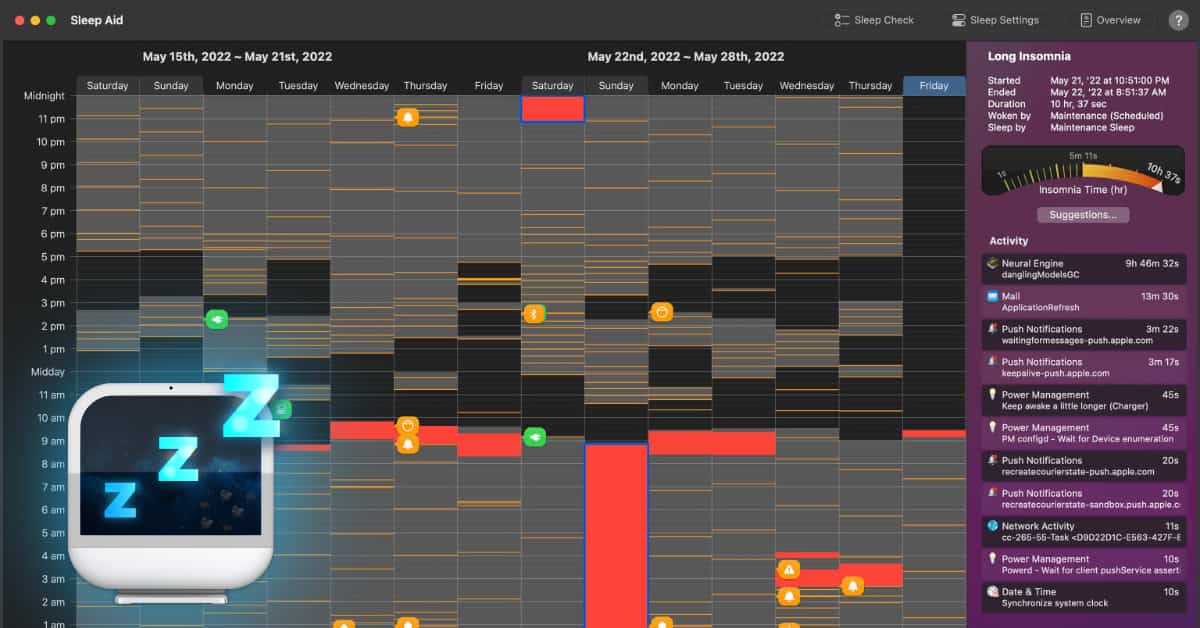
I bought my Air M5 in April and after about 3 weeks I noticed battery drain during sleep (https://forums.macrumors.com/threads/touchpad-bug.2481332/?post=34554411#post-34554411). I sent my Macbook to an Apple Authorized Service Provider, after week they told me everything was fine. Interestingly, after I got it back, the issue seemed to be fixed—there were no more dark wakes during sleep. Unfortunately it lasted only few months because today problem came back... what can it be? Maybe its a hardware issue?

 
But then you reinstalled apps again right? Or you're saying that there's a massive battery drain and nothing has been installed?

What did the Activity Monitor power view show?
 
I did not install anything. Only logged into my icloud account.

There is nothing alarming in Activity Monitor.
 
I did erase disk and reinstall macOS, it didnt helped.
You never need to reinstall the OS. At most, you just need to erase the "Data" volume that stores everything else.
If the OS has been modified, it won't boot.

So this is another post about the same issue? How much are you losing? As said in the other thread, 5% isn't that much.
 
You never need to reinstall the OS. At most, you just need to erase the "Data" volume that stores everything else.
If the OS has been modified, it won't boot.

So this is another post about the same issue? How much are you losing? As said in the other thread, 5% isn't that much.
Before friday I was losing about 1-3% per 24h of sleep, since friday it's about 20%.
 
Activity Monitor won't catch this since the drain is happening during dark-wake periods, not while the machine's awake. The tool you actually want is Terminal: `pmset -g log | grep -i "wake reason"` — that shows every wake event and what triggered it. That's the real diagnostic path.

Common suspect after clean install with iCloud enabled is "Wake for network access" (System Settings > Battery > Options), which iCloud Drive/Photos/Notes will hammer for sync. On my M3 Max MBP I saw sleep drain jump from ~1%/day to ~15%/day right after signing back into iCloud on a fresh install last spring — turning that setting off pulled it back to normal. If pmset log shows "RTC (Alarm)" or "EC.SleepTimer" firing every 30-90 min, that's the iCloud/APNS periodic-wake pattern and it lines up with your 20% number.
 
Activity Monitor won't catch this since the drain is happening during dark-wake periods, not while the machine's awake. The tool you actually want is Terminal: `pmset -g log | grep -i "wake reason"` — that shows every wake event and what triggered it. That's the real diagnostic path.

Common suspect after clean install with iCloud enabled is "Wake for network access" (System Settings > Battery > Options), which iCloud Drive/Photos/Notes will hammer for sync. On my M3 Max MBP I saw sleep drain jump from ~1%/day to ~15%/day right after signing back into iCloud on a fresh install last spring — turning that setting off pulled it back to normal. If pmset log shows "RTC (Alarm)" or "EC.SleepTimer" firing every 30-90 min, that's the iCloud/APNS periodic-wake pattern and it lines up with your 20% number.
pmset log shows:

2026-04-22 05:52:47 +0200 DarkWake DarkWake from Deep Idle [CDNP] : due to MTP.DOCK.CHANNELS.AP0.IRQ/ Using BATT (Charge:51%) 7 secs

2026-04-22 05:55:17 +0200 DarkWake DarkWake from Deep Idle [CDNP] : due to MTP.DOCK.CHANNELS.AP0.IRQ RTP.multi-touch/ Using BATT (Charge:51%) 5 secs

2026-04-22 05:55:24 +0200 DarkWake DarkWake from Deep Idle [CDNP] : due to MTP.DOCK.CHANNELS.AP0.IRQ/ Using BATT (Charge:51%) 5 secs

I tried to reset MacBook and use it without iCloud and it didnt change anything.
 
Register on MacRumors! This sidebar will go away, and you'll see fewer ads.