Hamsterhjulet
macrumors 6502a
Progress % of optimizing just appeared in settings for me. Weird. Wasn’t there yesterday after update but suddenly appeared tonight.
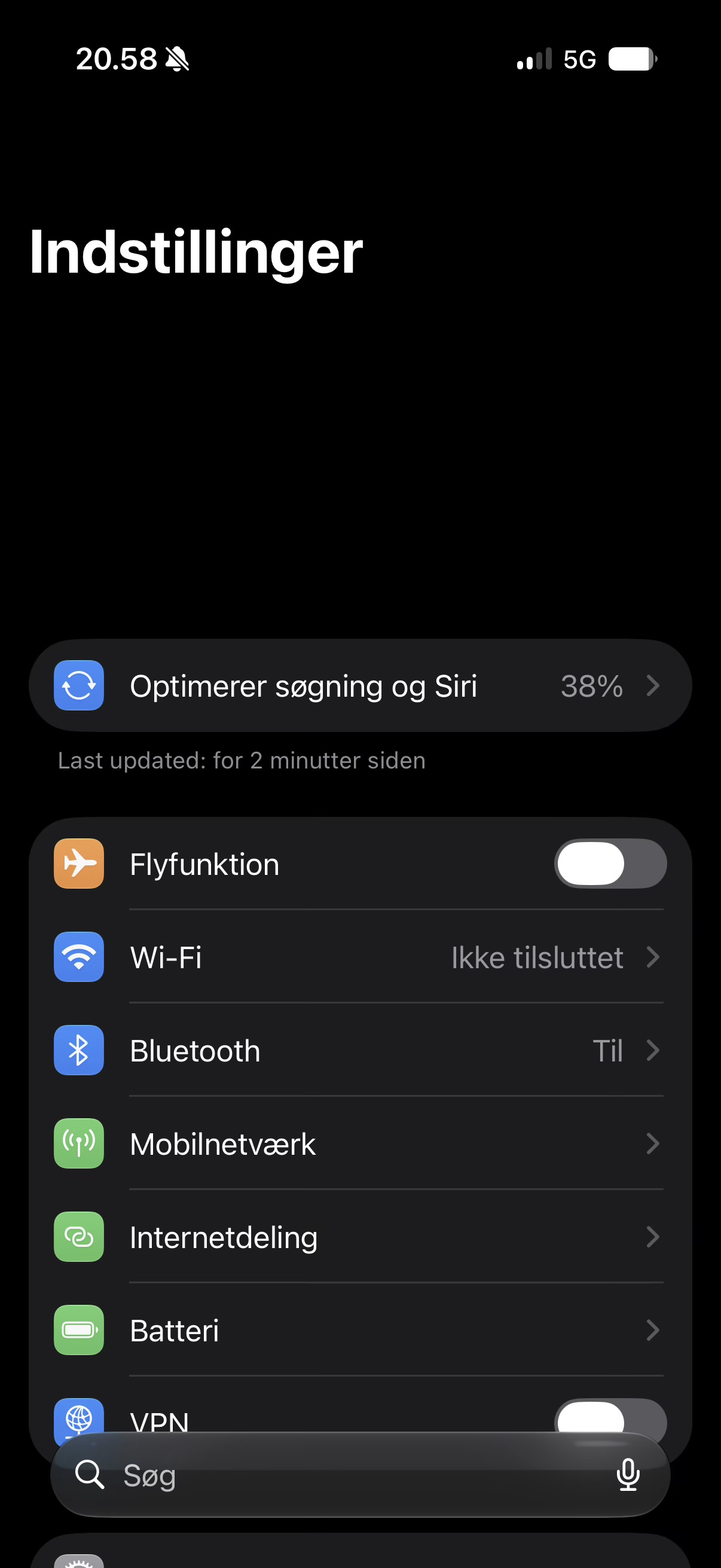

Same for my ipad M4.24 hours and the new indexing message is gone. Had my 17 Pro plugged in a lot of that time.

They look a lot like my Sidekick 3 interface did a couple decades agoWhat’s wrong with the buttons?

View attachment 2643840
Interesting that it actually shows when it was updated last.


Progress % of optimizing just appeared in settings for me. Weird. Wasn’t there yesterday after update but suddenly appeared tonight.View attachment 2643839

Same here. Didn't even notice. 😀24 hours and the new indexing message is gone. Had my 17 Pro plugged in a lot of that time.

Installing now.
As a German user no new Siri at this point but nevertheless…


Not yet, I switched to wired and have yet to have an issue in the last 2 weeks since I did so. I will try this week perhapsDB3 has brought back the CarPlay disconnect issues I had in DB1. It always comes back up after 20-30 seconds but it's really annoying on a car trip.
Also Google Maps seems broken for me in DB3 in CarPlay. When I start a route in CarPlay, it doesn't show any directions in CarPlay's Google Maps display. I didn't have this issue on DB2.
Just reported this last night was not aware it is tied to updated appsStarted in B2 and still not fixed yet in B3. In Spotlight search, an app’s icon disappears completely if it appears in the suggested list and receives an update; icons remain visible when apps don’t get updated. Searching again multiple times, or restarting the device to refresh the icons, restores them. This issue occurs whenever an app is updated and it happens to be in the list; it’s 100% repeatable.
View attachment 2643860

Indexing done a little over 24 hours after installing beta 3. Most of the time off the charger.
Looking forward to the new Siri in the EU.

I wish we had reaction options here for "Yes" and "No."Is Apple Pencil double tap broken for anyone else?


In theory, yes.You don’t need to close an app for battery savings. iOS takes care of it much more efficiently. You’d actually be consuming more battery if you kill apps, especially frequently used ones.
...

I’m not sure where you’re getting your info from but apps can’t co-conspire behind the scenes. While a rogue app can get stuck in the background rarely, apps are suspended unless they’re required to be active like Spotify during active playback or calling apps. And if a process is stuck in the background, it will be visible in the battery usage.In theory, yes.
in practice if I have multiple streaming apps like Times Radio and Spotify in the background they can co conspire to run together snd use loads of battery. Hard to reproduce but it has happened.
Personally I close them all occasionally, and nobody can persuade me that having 35 apps in the background uses no resources. RAM surely?


