
3Rock
macrumors 6502a
You’re wrong,again…In two weeks.

You’re wrong,again…In two weeks.


26.6.2 for macOS26.6.1 seems to be out for public
PB is out for me, using iPad. I don’t know if this is normal or not.PB already out? Is that normal?

What on earth are you talking about?Installed public beta; it is synced with dev beta. Today’s beta is a “b” release; last week was a “d”; “a” and onwards are gen release quality. Don’t forget to hard restart your iPhone 2x in 2 hours; I turned off the glass effect. Turned on reduce motion. Put it on low battery to stop indexing, plug it in at night/when not using the iPhone, and turn off low battery to finish indexing.

it's normal for PB to be released just a few hours after DB in later parts of the beta phase.PB already out? Is that normal?
What on earth are you talking about?
You don’t need to restart your phone unless you’re experiencing issues like stuttering or overheating. And why would you go out of your way to obstruct indexing?
iOS is smart enough to do the heavy lifting only when connected to power. Any task that’s performed while unplugged would not have any noticeable impact on battery life.
You’re incorrect on the “a” releases being general releases as well. There were instances where we jumped from “c” builds straight to RC. So release of an “a” build is not a requirement. And they don’t necessarily countdown either. Next week could be a “c” or “d” build.
I’m not sure where you’re getting all your information from but pretty much everything you said doesn’t have any actual basis to it.
iOS 9.0 went from "c" to RC which wasn't a point update. iOS 12.0 went from a->b->a in betas 10, 11, and 12 before RC which was quite late in the cycle. So no, it wasn't just in iOS 26.Fine, I”ll play along.
Go look at the .0 betas from the last 3 years, not point releases. iOS 17 went d, c, a, a, then RC. iOS 18 went f, b, a, a, then RC. iOS 26 went c, a, a, a, then RC. iOS 27 is d last week and b this week. Does it have to hit a before RC? No, but it has every year since 17, and once it’s on a the RC has been 1 to 3 weeks out. The c to RC jumps you’re thinking of are 16.2 / 17.2 type point releases with 3 or 4 betas. Only time a letter went up late in a .0 cycle was the beta 6 respin last year, 23A5318c to f, same beta.
On indexing, Apple’s own support page says battery and heat take a temporary hit after a big update while it indexes for search. the Optimizing Search and Siri banner in Settings, it says longer charging help indexing go faster, so it’s running when you’re not charging, just slower. Low Power Mode throttles it, which is the whole reason every “indexing stuck” post says turn LPM off and plug in. I just do it in reverse. LPM on during the day, off overnight on the charger.
Restarts, open the beta 6 release notes. Known issue 179470940, blurry status bar, Apple’s workaround is literally “Restart your iPhone.” Beta 1 notes had the same workaround for home screen edits not saving. Basically restart after install and again a couple hours later once the downloads are done. 60 seconds or less.
Go to bed.

I believe Gurman already ruled out that day for the event and preorders because the 7th is Labor Day but that Friday (which would be preorders) is also a holiday in the US. Sept. 11 (25th Anniversary). And if history says anything, they announce the event 2 weeks before it happens. So they would need to announce this week if it's the week before. From his latest info I've read, he said event Wed Sept. 9 with preorders starting the following Monday Sept. 14 due to the Sept. 11th holiday that Friday.OS 27 beta 6 is on the "B" build. Which means 2 more weeks of OS 27 beta.
This also means that Apple will hold their iPhone event on the week of Sept 7th - Sept 11th.
Apple already told employees the iPhone event is the first half of September. That is any date between Aug 31st and Sept 11th.
Apple's decision to host the iPhone event on September 7th is financially genius. September 7th is Labor Day. Which means no one works. This indicates that Apple will have the highest viewership of their event since no one is working.

Apple Gears Up for September iPhone Launch With Retail Employee Lottery
(Bloomberg) -- With Apple Inc. gearing up for its biggest product launch of the year, the company is opening a lottery for US retail employees who want to help staff the in-person unveiling.Most Read from BloombergBeer Dynasty Families Sell €731 Million Stake in AB InBevChina’s AI Blitz Creates...finance.yahoo.com

Apple just revealed a clue about its September iPhone event date - 9to5Mac
We’re just weeks away from the launch of the iPhone 18 Pro and iPhone Fold, and preparations inside Apple are...9to5mac.com
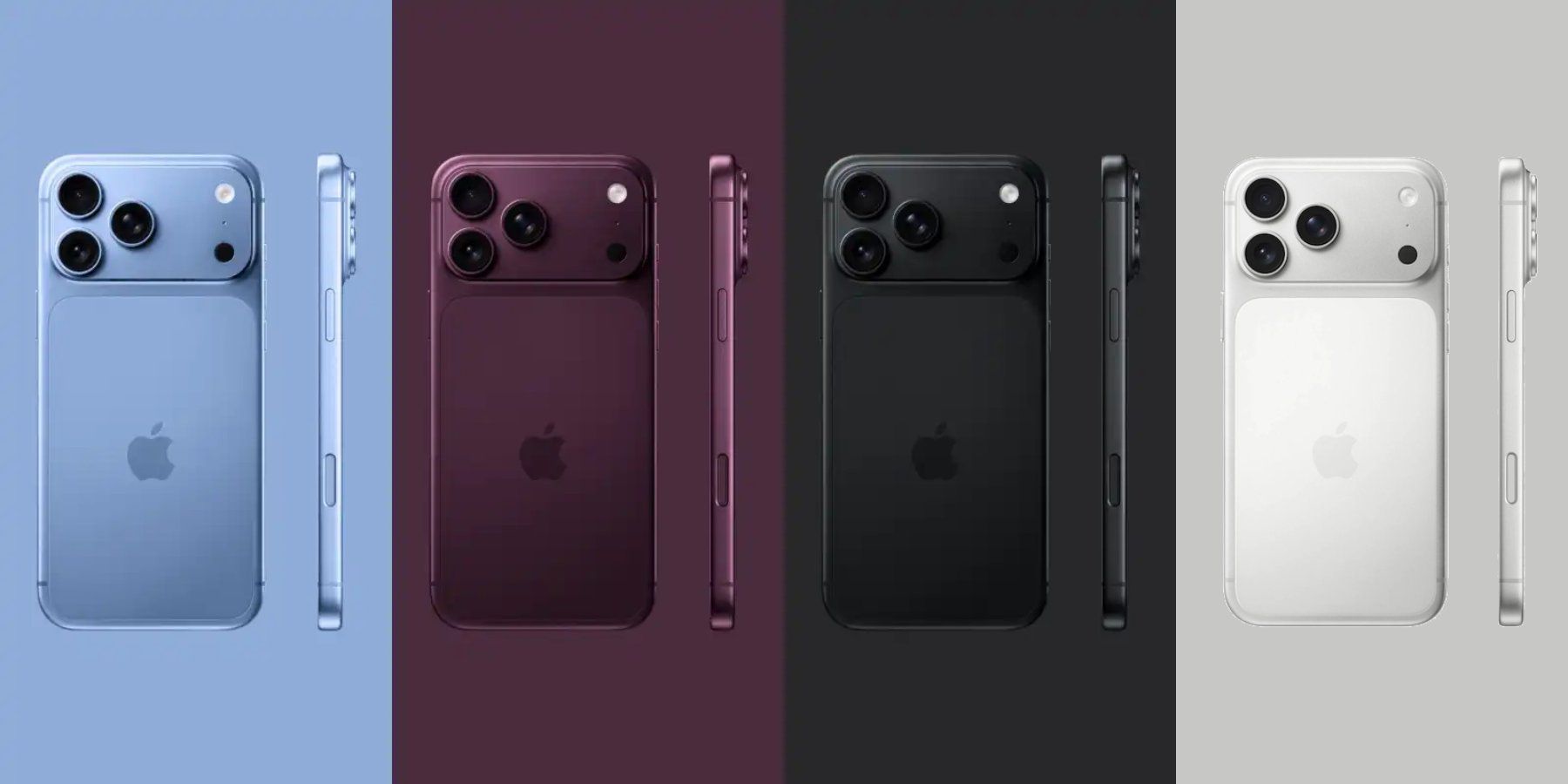
Apple Starts Preparing for September iPhone Event
Apple is getting ready for its big September iPhone event, which is expected to see the debut of the iPhone 18 Pro, iPhone 18 Pro Max, and an all-new foldable iPhone. Ahead of the event, Apple is holding an Event Support Experience Program lottery for U.S. retail employees who want to travel to...www.macrumors.com
The only reason that builds in late beta stage is a "low" letter is because they dont have to build that many times to test a new feature. its mainly bug fixes in these releasesWhat on earth are you talking about?
You don’t need to restart your phone unless you’re experiencing issues like stuttering or overheating. And why would you go out of your way to obstruct indexing?
iOS is smart enough to do the heavy lifting only when connected to power. Any task that’s performed while unplugged would not have any noticeable impact on battery life.
You’re incorrect on the “a” releases being general releases as well. There were instances where we jumped from “c” builds straight to RC. So release of an “a” build is not a requirement. And they don’t necessarily countdown either. Next week could be a “c” or “d” build.
I’m not sure where you’re getting all your information from but pretty much everything you said doesn’t have any actual basis to it.

Don’t forget to hard restart your iPhone 2x in 2 hours;

What is the purpose of this ritual? 😉

Installed public beta; it is synced with dev beta. Today’s beta is a “b” release; last week was a “d”; “a” and onwards are gen release quality. Don’t forget to hard restart your iPhone 2x in 2 hours; I turned off the glass effect. Turned on reduce motion. Put it on low battery to stop indexing, plug it in at night/when not using the iPhone, and turn off low battery to finish indexing.

... yes it's normal, we're in the endgame now.


No beta today.I have PTBD (post traumatic beta disorder) , i came in here today prepared to ask if yall think were expecting a new beta today 😭

Did you sleep through yesterday? 😀I have PTBD (post traumatic beta disorder) , i came in here today prepared to ask if yall think were expecting a new beta today 😭
I have PTBD (post traumatic beta disorder) ...
Did you sleep through yesterday? 😀
Build what? And how would fixing the bugs translate to less "builds"?The only reason that builds in late beta stage is a "low" letter is because they dont have to build that many times to test a new feature. its mainly bug fixes in these releases
Anatomy of a Build Number
Users on StackExchange agree that Apple build numbers follow a strict coding structure: [1]
- Major Version (The Train): The starting digits represent the OS "build train" or major version (e.g., 24 for iOS 27, 25 for macOS Tahoe). [1, 2, 3]
- Minor Version Letter: The capital letter right after the number tracks the minor release train. A usually points to the initial .0 major consumer release, while B, C, or D track subsequent minor point updates (like .1 or .2). [1, 2]
- Sequential Build Number: The digits in the middle (often starting with a 5 during beta cycles) show how many times the internal code was compiled. Higher numbers mean a more recent compile date. [, 2]
- Stability Suffix Letter:The final lowercase letter (ranging from a up to z) denotes how close or stable a build is during testing.
... as we get closer to a stable release, Apple will be moving that letter at the end closer to the beginning of the alphabet...


