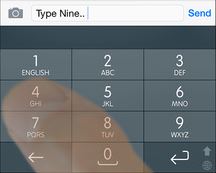
The easiest way is to always exile nonsense words that appear by tap-and-holding (or swiping, depending on your options) on the word in the topbar and then swiping down and releasing at 'exile'. This reduces its word score to 0.
If you frequently see a legitimate word but not the word you want, go to your words list via -> WORDS, find the word you don't want and reduce its score manually by tapping on it and then tapping on the desired score icon (the dots) - the fewer the dots the lower the word score and the less likely you'll see it by accident.
I manually adjust words like this:
- A word that I'll likely never use: 0 dots
- A word that I'll rarely use: 1 dot
- A word that I'll sometimes use: 2 dots
and I mostly let the more frequently used words take care of themselves.
Note that (a) you have to let the wrong word 'register' in order for it to show in your 'new' words list (which shows your most recently typed 30 words, including some word fragments that lead to the 'registered' word), and (b) the 'all' list is in chronological order, so tap on the '>>' icon to go to the end to review your most recent dictionary customizations.
Play around with that for a while and see if Nintype does a better job picking the right word.