Become a MacRumors Supporter for $50/year with no ads, ability to filter front page stories, and private forums.
Wow! Guys thank you so much for the super helpful replies.

For context, the M1 I'm looking at is a used model in great condition, which I could get for £350 (maybe less).

It's going to be used by my kid, who's 12 right now and if she looks after it, she'll hopefully be using it for the next 5 years at least. All she really will need it for is MS Apps, Safari, Mail etc. Nothing fancy.

I also own a MBP M2, which as my kids would say, I mother ❤️ 😆 And I also own a 2006 Mac Pro, which I used until the power went. It's currently sitting in my office room. I would love to get it fixed, but this would mean taking it in for repairs and leaving it there. Unfortunately, I have a lot of personal info on there and really do not trust the repair shops.
 
For context, the M1 I'm looking at is a used model in great condition, which I could get for £350 (maybe less).
Oh, in this case it's a solid buy. Especially if you're not sure how well it will be treated by kids :)

For some additional context, I was using one up until a year ago for Illustrator, InDesign and Photoshop work and it was keeping up surprisingly well. Not a speed demon, but I also wasn't seeing a ton of beachballs or random slowdowns either. I think it'll keep up with the usage you're describing.

It's just a real trooper of a Mac, and of the ~16 Macs I've owned since... well, longer than I care to admit, the M1 Air was easily one of the very best of them.
 
Oh, in this case it's a solid buy. Especially if you're not sure how well it will be treated by kids :)

For some additional context, I was using one up until a year ago for Illustrator, InDesign and Photoshop work and it was keeping up surprisingly well. Not a speed demon, but I also wasn't seeing a ton of beachballs or random slowdowns either. It's just a real trooper of a Mac, and of the ~16 Macs I've owned since... well, longer than I care to admit, the M1 Air was easily one of the very best of them.
How many Mac since the M1??? 😲

How many have you had in total since your first ever Mac?
 
How many have you had in total since your first ever Mac?
MacTracker has these out of order, and I might be off by a model here or there, but:

iMac 2025-12-01 at 4.50.32 PM.png
 
  • Like
Reactions: aParkerMusic
It'll last as long as you are willing to keep using it.

People are still out there using their Apple IIe and whatnot. Even old software will continue to work as well as it ever did.

It's a machine and as long as you take care of it and are willing to repair it and replace parts, it will probably last a couple centuries if you buy a dozen M1 Airs as donor parts machines along with it ;)
 
  • Like
Reactions: scouser75
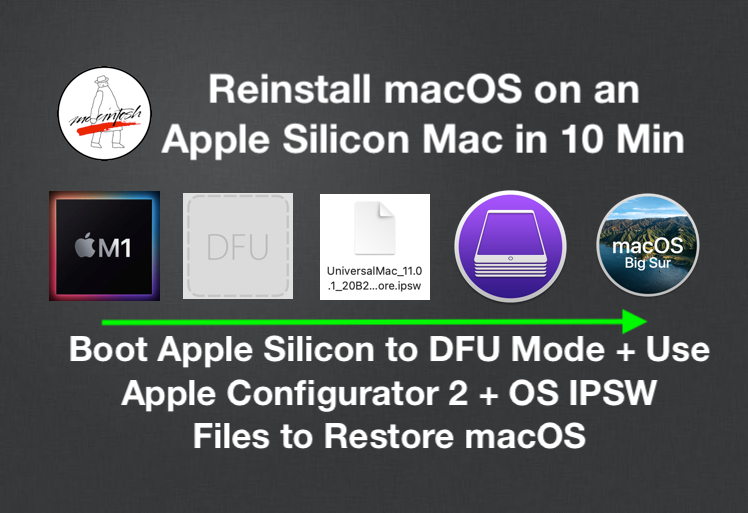
Use a USB installer or use an IPSW file and another Mac to do a full restore in DFU mode. There are a lot of threads in this forum about downgrading the OS on Macs.
You dont even need to do that, doesnt the internet recovery mode always provide the oldest OS supported?
 
You dont even need to do that, doesnt the internet recovery mode always provide the oldest OS supported?
No.
On Intel Macs there is a special shortcut you can use to install the oldest supported macOS (does not always work reliably, because of expired installer certificates.)
On Apple Silicon Macs you can only install the macOS you currently have installed (or newer) - via Recovery or Internet Recovery.

@Mr_Brightside_@ I also recommend the DFU mode method. (I have done it successfully on 60+ Macs.) Mac will come out like brandnew.
MrMacintosh has very good guides and all the needed ipsw download links.

@scouser75 I agree that there is probably (and hopefully) some life left in the M1 MBA. One grain of salt though: Up until now, all the deprecated Macs have been Intel Macs. No Apple Silicon Macs have been announced as unsupported yet. Therefore, the 7+2 year number is based solely on the number of years Intel Macs have been supported.
We will have to wait and see.
 
Last edited:
I wouldn't be surpised if the M1s are supported much longer than the typical 7 year support window. Just becasue they are still sold brand new through walmart, along with them being the first part of apple silicon. I could see them supporting the M1 MBA and requiring 16GB of Ram though.
 
No.
On Intel Macs there is a special shortcut you can use to install the oldest supported macOS (does not always work reliably, because of expired installer certificates.)
On Apple Silicon Macs you can only install the macOS you currently have installed (or newer).

@Mr_Brightside_@ I also recommend the DFU mode method. (I have done it successfully on 60+ Macs.) Mac will come out like brandnew.
MrMacintosh has very good guides and all the needed ipsw download links.

@scouser75 I agree that there is probably (and hopefully) some life left in the M1 MBA. One grain of salt though: Up until now, all the deprecated Macs have been Intel Macs. No Apple Silicon Macs have been announced as unsupported yet. Therefore, the 7+2 year number is based solely on the number of years Intel Macs have been supported.
We will have to wait and see.
I’m very curious to see, when a version of macOS is released that does not „support” M1 chipsets, if there is a technical reason why it is not supported, or if it is an arbitrary cutoff. With Intel Macs, sometime there were valid reasons why support was dropped, but in other cases, it was an arbitrary block.

There’s not enough difference yet in the versions of M* chips so far to justify removing support for the M1 chipsets.

I wonder if we’ll see an equivalent of OCLP ( in spirit, not in specific code) slowly evolving to enable older M* macs to unofficially extend their software upgradability. A lot more difficult now than with intel machines without a T2 chip, but people are always very good at finding workarounds when being told “you can’t do that”.
 
I would love to get it fixed, but this would mean taking it in for repairs and leaving it there. Unfortunately, I have a lot of personal info on there and really do not trust the repair shops.

You should have encryption enabled surely? And a backup?

If encrypted I would be fine giving it to them, just don't give them your passwords.
If not encrypted and you have a backup, wipe it before going in (if you can) and restore from backup.

I wouldn't trust them either, but I have FileVault encryption enabled. I might be wrong but I thought it was enabled by default unless you opt-out?
 
I’m very curious to see, when a version of macOS is released that does not „support” M1 chipsets, if there is a technical reason why it is not supported, or if it is an arbitrary cutoff. With Intel Macs, sometime there were valid reasons why support was dropped, but in other cases, it was an arbitrary block.

There’s not enough difference yet in the versions of M* chips so far to justify removing support for the M1 chipsets.

I wonder if we’ll see an equivalent of OCLP ( in spirit, not in specific code) slowly evolving to enable older M* macs to unofficially extend their software upgradability. A lot more difficult now than with intel machines without a T2 chip, but people are always very good at finding workarounds when being told “you can’t do that”.
I agree that there is not enough difference yet in the versions of M* to justify NOT supporting them OTHER than Apple just not wanting too and get people to buy. I hope that is not the case...

Anyone know better or more about the architecture of the M Series instead of us "arm chair" critics? Is there a good reason not to support it due to hardware advancements?


The M1 has some graphical issues with macOS Tahoe and my suspicion is that they just DON'T WANT TO SUPPORT IT and want generally people to move on to their next offerings. Again... I hope that is not the case...

This is a M1 MacBook Air thread, but the M series is generally also relevant to this topic. If they support the Air for more than their 7 year, then they can also support the M1 MacBook Pro, Studio and Mini.

Hard decisions Apple has to make in the future..
 
  • Like
Reactions: scouser75
Hey guys, in terms of software support, how many years do you guys think are left in the M1 MBA? Appreciate this is a "how long is a piece of string" kinda question!

I'm looking to buy an M1 for my kid as don't want to spend to much as chances are they won't look after it properly.

Thanks
Since your kid is 12 and you have reservations whether or not it will be taken care of properly, I would stick with the used M1. I know several in the thread suggested newer and more expensive but, at this point, I think it wise to go used. In my opinion, have your kid earn money for a newer model if she decides she likes using a Mac.
 
Last edited:
Wow! Guys thank you so much for the super helpful replies.

For context, the M1 I'm looking at is a used model in great condition, which I could get for £350 (maybe less).

It's going to be used by my kid, who's 12 right now and if she looks after it, she'll hopefully be using it for the next 5 years at least. All she really will need it for is MS Apps, Safari, Mail etc. Nothing fancy.

I also own a MBP M2, which as my kids would say, I mother ❤️ 😆 And I also own a 2006 Mac Pro, which I used until the power went. It's currently sitting in my office room. I would love to get it fixed, but this would mean taking it in for repairs and leaving it there. Unfortunately, I have a lot of personal info on there and really do not trust the repair shops.
I’m impressed she’s going to use it! My daughter is 11 and has no interest in computers… she’s happy on her iPad!
 
  • Like
Reactions: scouser75
I rarely use my m1 MBA now but its not because of any deficiencies, its simply that I am no longer permitted to BYOD for work and I now use a company issue m4 MBA. The m1 (I have the 16GB RAM model) is still a delight to use, with the only irritation being the camera quality for teams/google meets. Unless your lighting is perfect it often delivers a very grainy image.
Just be aware that at that age, it’s not just your own kid but other kids that can be quite rough with the hardware. My son had a m1 MBA for school and a classmate slammed the lid shut very forcefully and cracked the screen. My son’s device was covered by Apple Care. Not sure if third party options are available now but the repair costs for a screen then were very high and at that point you may as well be looking at a replacement device if you didn’t have Apple Care.
 
As others have said, I would expect it to get macOS 28 and wouldn't be surprised to see it get macOS 29. I have a base M1 Air that I purchased in early 2021 for my classroom laptop, and nearly five years later it's still on my desk performing all the duties I need of it. It's held up amazingly well and still offers incredibly snappy performance and killer battery life, far more than I could ask for. I expect that I'll be able to get another few years out of this machine, and an enjoyable few years too.
 
  • Like
Reactions: scouser75
Interesting the Monterey suggestions. I have mine (16GB/512GB) with Sequoia since Tahoe is just garbage for me but since I'm not using an iPhone anymore, I don't have problem changing to Monterey.

It worth the change? The only app I think I will miss is Nicotine+ hehe
 
4-5 years more from now in terms of software, but practically you can use them until battery no longer holds or in case it bloats. Desktop Macs can last even longer, I still use my 2012 Intel iMac for many tasks
 
  • Like
Reactions: scouser75
It'll last as long as you are willing to keep using it.

People are still out there using their Apple IIe and whatnot. Even old software will continue to work as well as it ever did.

It's a machine and as long as you take care of it and are willing to repair it and replace parts, it will probably last a couple centuries if you buy a dozen M1 Airs as donor parts machines along with it ;)
I mean, yes, if you live in a bunker. But assuming your needs evolve over time with the advance of computing applications and services -- not to mention the other devices you use -- you'll want to update on a faster timeline. While I could write and probably do email and create documents on a Mac I was using 20 years ago, my usage has changed a whole lot in those years and that 2005 Mac would not be able to keep up with a lot of that.
 
Register on MacRumors! This sidebar will go away, and you'll see fewer ads.