With 10.5 (I think 10.5.3+ specifically), it’s a two-step process.
The first is to
change the CI_NO_BACKGROUND_IMAGE value to 1.
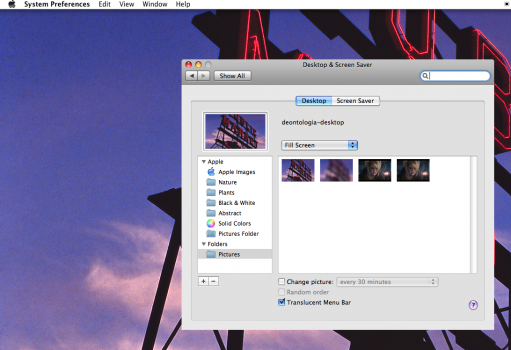
Then, under Desktop & Screen Saver, select the ”Translucent Menu Bar” box. It’s counter-intuitive, but when setting that variable to “1” (making it opaque), the “grey” layer is set to an opaque setting with no transparency (this grey layer, I believe, is what I think serves as a transparency mask for the alpha channel), and when coupling it with the checkbox to “go transparent”, it disappears the grey mask layer entirely, leaving behind the white under-layer.
View attachment 1806849
You’ll need to restart the WindowServer with a reboot for these effects to fully take hold.