Become a MacRumors Supporter for $50/year with no ads, ability to filter front page stories, and private forums.

beta2k

macrumors newbie
Original poster
I use time machine backup on a Lacie External 2TB HDD to backup my MacBook Pro 2023 (M2 Max) running Tahoe 26.5.1.
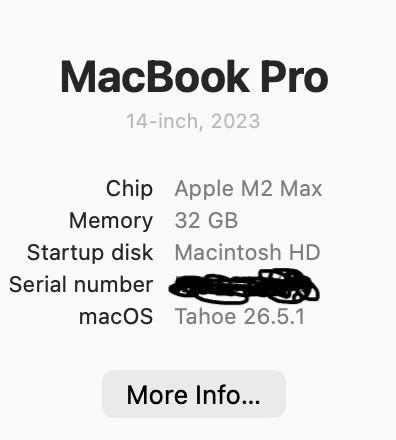
1783842600491.png

Everything worked normally for years, but now the backup says that it would take several days to finish and the progress is extremely slow.
The USB connection should be fine:
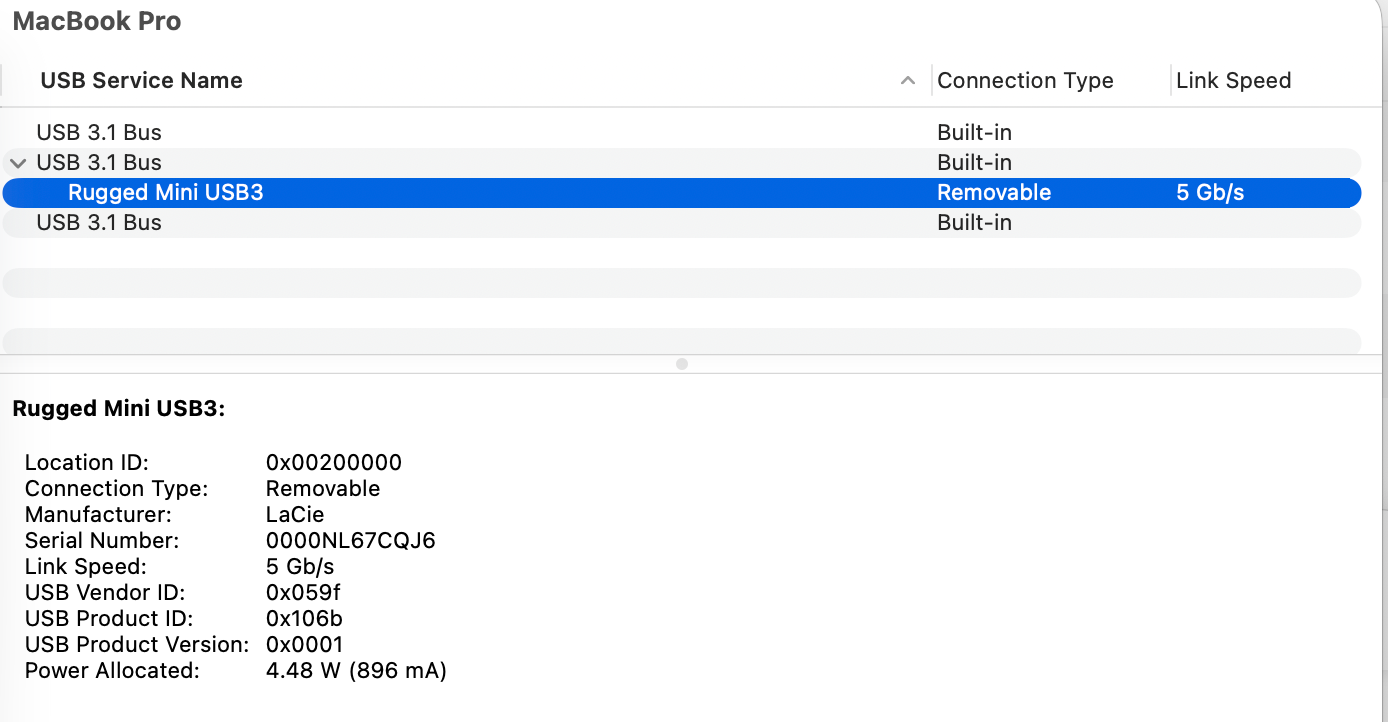
1783783645428.png


This is the "get info" on the drive:
1783842678385.png


This is the "progress":
1783842712308.png


The external drive has the Mac OS Extended file system, which seems not to be the best option, which would be APFS. However, previously the backup also worked. I doubt that the "old" file system is the reason. I also changed the cable. Any ideas?
 

Attachments

  • 1783842698417.png
    1783842698417.png
    36.3 KB · Views: 13
Almost certainly HFS+. TM on Tahoe basically fell off a cliff for HFS+ destinations — mine went from painless incrementals to multi-hour scans on the same LaCie drive after upgrading, no other changes. Two things to try before nuking it: `sudo mdutil -sa` to check if Spotlight is still indexing the backup volume, and if it is, `sudo mdutil -i off /Volumes/YourBackupName`. The mds_stores rebuild fights TM's own file walk on HFS+ and it gets ugly. Real fix is reformatting to APFS if you can eat the retention loss — Apple's snapshot-based TM path expects APFS now, and HFS+ falls back to a file-by-file compare that gets exponentially slower the fuller the volume is (I hit a wall around 70% on a 4TB LaCie).
 
  • Like
Reactions: dead flag blues
Reformat the drive to APFS and start over.

BETTER solution:
After you reformat the drive, try either CarbonCopyCloner or SuperDuper.
Both are FREE to download and use for 30 days.
Try either one.
Or try BOTH and see which one suits you better.
 
If you should follow Fishrrman's advice and switch to CCC or DS (which are both, unlike TM, so-called cloning software, using macOS compare and copy files functionality to make one drive reflect another byte-for-byte) my recommendation is that you continue to use macOS Extended (also known as HFS+)

Google AI:
Using APFS on a traditional Hard Disk Drive (HDD) is generally not recommended unless you are using the drive for macOS Time Machine backups, where it is mandatory. APFS is specifically optimized for Solid State Drives (SSDs) and can cause slower performance, high fragmentation, and excessive "thrashing" (seeking) on spinning platters

I got myself a 4TB external HDD to replace three 2.5" SATA SSDs for backup duties a few weeks ago, and I noticed it working all the time. I changed the file system from APFS to HFS+ and the drive would only spin up and run when there was read/write activity.

Only downside for me is that HFS+ doesn't have snapshots, or the fine functionality of APFS volumes. The drive is for backing up three volumes, and since it wouldn't be practical to use fixed size partitions as 'cloning destinations', I use CCC's ability to clone to folders, so they can 'share' available space just like APFS volumes. Instead of snapshots, I use CCC's Safetynet to be able to restore files from up to 50 days ago.
 

Attachments

  • Skjermbilde 2026-07-12 kl. 16.36.06.png
    Skjermbilde 2026-07-12 kl. 16.36.06.png
    352.1 KB · Views: 3
  • Skjermbilde 2026-07-12 kl. 16.35.46.png
    Skjermbilde 2026-07-12 kl. 16.35.46.png
    1 MB · Views: 3
"my recommendation is that you continue to use macOS Extended (also known as HFS+)"

Won't CCC now require the use of APFS to work with m-series Macs?

I know that CCC would clone Mojave from APFS to HFS+ on my 2018 (Intel) Mini. I actually did that.

But don't believe you can still do this when your source is an Apple Silicon Mac.
I could be wrong.
 
Short version: reformat, start again. Will work fine for years again (unless it is hardware failure).

My experience is that TM occasionally gets corrupted (it is complicated system) and slows down or hangs. I tried to fix it long time ago and it failed. Now I simply reformat - or keep the old drive as old backup and replace. APFS seems to be more robust than the old HFS+, but it already happened on one of my TM APFS drives also. But that was SSD and may have failed in hardware.
CCC or SD are not TM replacement, they are different backup solution. If better is matter of opinion - I use combo of TM and CCC. I used both depending on situation when something failed or was deleted and both worked as advertised.

And that Google AI nonsense about APFS not for HD is obsolete info from early times of APFS, classical AI stupidity digging out obsolete information from its memory. Today APFS on HD works fine and is the only format Apple suggests. Actually, Apple recently announced that encrypted HFS+ will be not supported starting from macOS28. Apparently does not apply to TM HFS+ encrypted drives, but still...
 
  • Like
Reactions: QuarterSwede
Register on MacRumors! This sidebar will go away, and you'll see fewer ads.