
trump2024
macrumors member
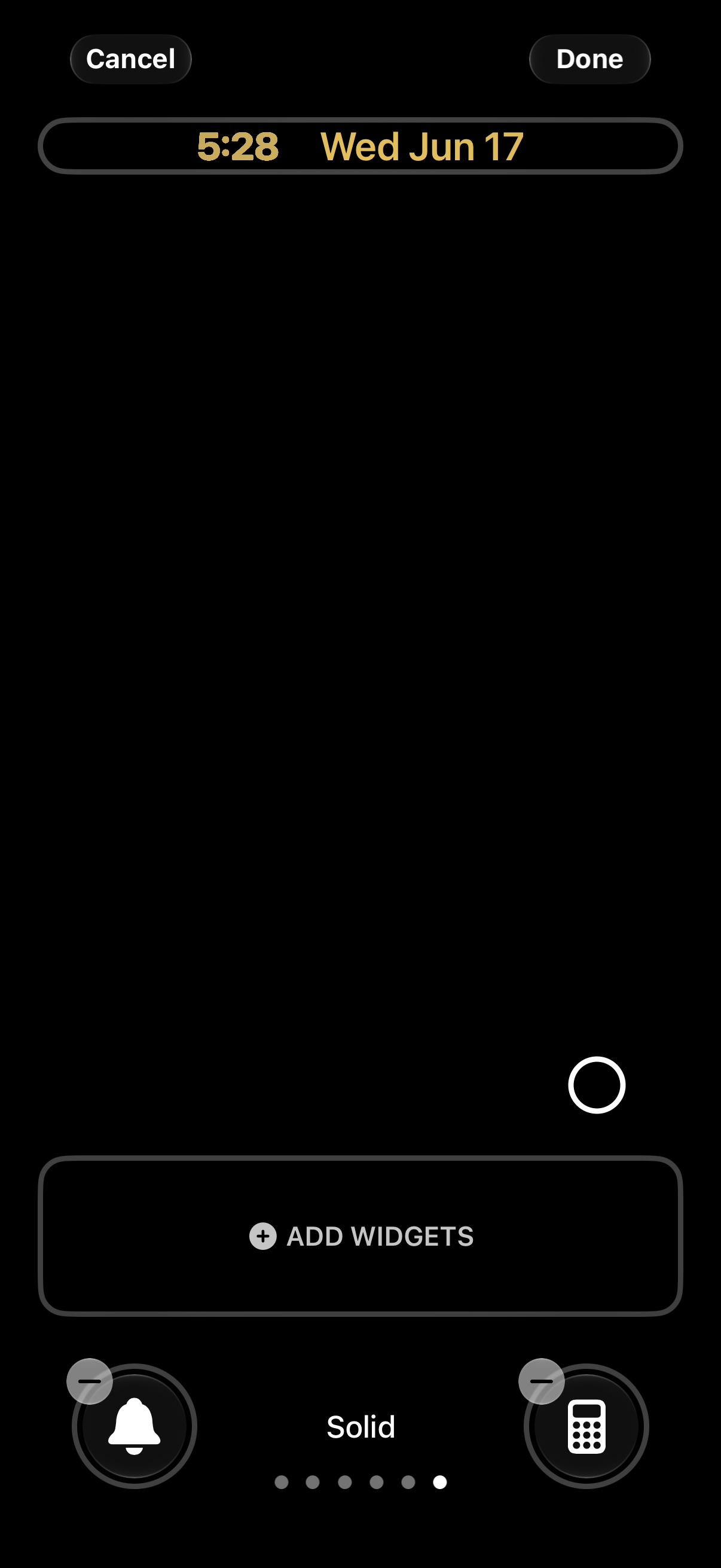
So you can make the clock smaller now omg this may be the best feature of ios 27


For me, this beta is 100% better than the “stable” 26. I couldn’t fathom going back. 26 was a s*^t show! (For me)Went back to iOS 26 I just need the most stable os on my main phone it gets too hot and slow. Is not a bad beta but I wait for beta 4-5

When my new Siri showed up, there was no notification. I was eager for it too.. found out by checking settings! Alas, with indexing still running for me (95% for two days at least) it seems a little wonky sometimes? I also get hit or miss capabilities. Beta 2 soon! =)You’ll get the notification.
Mine showed up and in Settings the next day.
You mention battery life, it's not so bad for me.. but I notice it. My question, once indexing finished did you notice it snap back to better battery longevity?Battery life sucks but it’s beta 1, I didn’t expect much lol
New Siri has been hit or miss for basic tasks, haven’t tried much of the complex ai stuff yet.
Indexing took about 8 days to finish (only charging when I go to bed for about 5-6 hours at a time)
Honestly pretty impressed with a beta 1 so far, Apple is definitely going in the right direction with this update.
Mine has been rock solid from the first MINUTE. Scrolling is liquid and fast, no jitters.. and icons don't delay on boot to fill in as before. Graphically, it's intensely solid in my experience (iPhone Air)Yes! I am. Also when scrolling it is very jittery.
Agreed. I think it's fine for everyday use for non-tech beta-scared folk as well, to be honest.wierd for for me on my air 27 beta 1 is more stable then 26.5.1 lol
I'm mixed here as well. Today I had a terrible time getting the word 'also' to NOT spell-correct into craziness. I'm also seeing that when the squiggly underline suggests a change in what I've typed for texting, the word itself disappears unless I tap the area to see what the fuss is about.Spelling and incorrect words seem worse than before, although I admit I also reset my iPhone dictionary at around the same time as the update, based on some advice on a different thread about persistent bad dictation outcomes here.

Did my 17 PM & my M4 iPad Pro… both did the indexing thing. Both are STILL indexing.Question for those who upgraded two devices connected to the same iCloud account:
Does the second device did the indexing too? If so, was it faster than for the first device?
I'm trying to know if there's some kind of shared index between devices (especially for iCloud Drive docs, iMessage etc) or if every device needs to index by itself
You answered your own question: “a full week and a half after installing… still indexing”Does anyone else have the problem that you can only search through e-mails that are less than year old?
I keep e-mails for about 7 years. But today I wanted to search for an e-mail which I knew I received last year, but it didn't show up in search results. It turns out that search results now only show e-mails that are newer than 1 year. It doesn't matter if you search through spotlight or directly in the mail app. It is also the same on iOS, macOS and even iCloud.com. In the screenshots, you can see that I received an e-mail about the WWDC25 on June 13th 2025. I can scroll to it in my inbox. I can open it and read everything, but it won't show up in any search results, no matter if you search for content or metadata.
I filed a bug report for this in the feedback app.
Also, a full 1.5 week after installing, my phone still says it is indexing.
I’ve done so many times it’s easy to me. I never back up my phone I just have everything sync with iCloud so when I reset I set up as new and everything is there. Obviously have to download every app againFor me, this beta is 100% better than the “stable” 26. I couldn’t fathom going back. 26 was a s*^t show! (For me)


Can someone confirm and tell me the size of Apple Intelligence on Mac OS 27? Mine seems to be 26.2 GB!!!!! View attachment 2639229

My mac doesn’t seem to show that it’s indexing anymore. Only my iPhone is still indexing….This may have to do with the progress of indexing. I’ve been at 95% for more than two days now (that’s how long I’ve been aware of progress) and my size is at 19.01 GB currently

I move relevant Siri Suggestions into one of my own calendars then delete the original.FB23237729 - reported
There is no way to change the calendar color for the "Siri Suggestions" "Birthdays" (only available on Mac?) or "Scheduled Reminders" calendars
iPhone 17 Pro Max here and it is really persistent. Even Bluetooth keeps disconnecting and connecting backFor those having intermittent WiFi issues, which devices are having the issues? I've noticed the issue on my iPhone Air, but not much on my iPhone 17 Pro Max. I'm curious if the issue is more prevelant on the Air due to Apple's C1X modem.
That’s a very old bug made great again, though it’s only happened once to me with this beta. You might try, if it happens again, taking a subsequent screenshot. Way back when that used to cause the initial screenshot to revert to the cropped version you first took. I submitted several reports back in ios 17. It was eventually fixed. This time (fingers crossed) it’s only happened once.Reported a bug
When taking a screenshot and you edited the screen before saving it, it doesn't save the changes i.e if you cropped it or marked it etc. it only saves the original copy
Which could be quite dangerous especially if you're taking a screenshot of something that has PII and you don't want the receiver to see thatReported a bug
When taking a screenshot and you edited the screen before saving it, it doesn't save the changes i.e if you cropped it or marked it etc. it only saves the original copy
I have the same. Can't find a way to fix.Anyone else got a weird bug where their homescreen wallpaper is blurred after getting the new Siri even if blur is set to off?
I’m on an iPhone 16
View attachment 2638911
Which could be quite dangerous especially if you're taking a screenshot of something that has PII and you don't want the receiver to see that

Btw you can edit after saving itWhich could be quite dangerous especially if you're taking a screenshot of something that has PII and you don't want the receiver to see that


